Blog · AI

VMware’s Broadcom Problem, and What to Do About It
Broadcom's VMware licensing changes force IT teams to consider VM alternatives. See how WorldTech IT and F5's partnership offers a solution.
Austin Geraci · 2026
Why Everybody’s Suddenly Rethinking VMware and Weighing VMware Alternatives
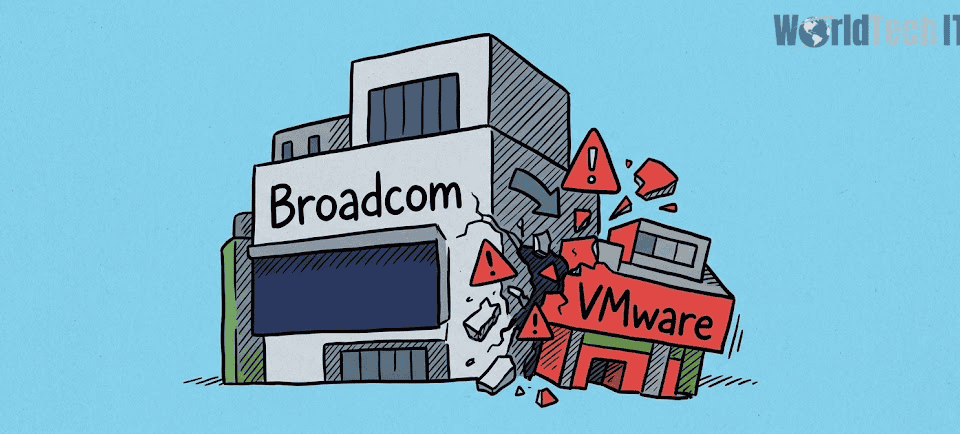
Broadcom’s acquisition of VMware in November 2023 has plenty of IT teams evaluating VMware alternatives, and the reason is simple: the Broadcom VMware licensing changes rewrote the packaging and licensing model, and if you run VMware anywhere in your stack, you’ve felt it in the wallet. Broadcom documents its own licensing transition terms if you want the play-by-play straight from the source.
Here’s the analogy I keep coming back to: imagine you owned Microsoft Office outright for 10 years. Now the only way to get updates or support is a Microsoft 365 subscription, and instead of paying for Word alone, you’re buying the entire suite, apps you’ll never touch included. That’s the VMware-Broadcom situation in a nutshell.
So why not just replace VMware and move on? If it’s costing that much more, that should be easy, right? Not quite. Your apps are wired into VMware at the core. This isn’t “uninstall and reinstall.” It’s untangling a decade of dependencies. Even the best VMware alternative on paper still has to survive contact with your actual environment, and a switch like this goes way beyond a few people losing access for an afternoon.
This isn’t only a price-hike story. It’s a VMware alternatives story. Your team owns the virtualization decision, but F5 governs how your applications get delivered, secured, and connected no matter what’s running underneath. That’s the piece you need to understand if you’re currently stuck in this mess.
Why the Ground Keeps Shifting: Broadcom Pricing Changes Drive VMware Alternatives

VMware consolidated its portfolio into bundled products, so organizations can no longer opt for the basic virtualization layer alone. Now you’re paying for capabilities you didn’t need just to keep the ones you do. As of January 2026, VMware Cloud Service Provider agreements moved to an invite-only model built around VMware Cloud Foundation, which means the partner you rely on for implementation and support may no longer have the same access, or any access at all. That’s not an incremental pricing tweak. It changes how enterprises need to plan, budget, and re-risk their VMware footprint, which is pushing a lot of companies toward the migration question and why many enterprises are securing VMware alternatives.
The Challenge Isn’t Just Swapping a Hypervisor
VMware gives you virtualization, but that’s one layer of a much bigger stack. Replacing it isn’t like switching from one music streaming app to a cheaper one. You can’t just cancel and sign up for the next thing.
Here’s where the switch gets hard:
- Management and automation, through vCenter, is the brain of the operation. If you’ve run VMware for any length of time, your IT team almost certainly has custom scripts and automation tied directly into it. Pull vCenter out, and those scripts break with it.
- Storage is another layer VMware touches directly, not just the applications running on top. Leaving VMware means untangling, migrating, and re-presenting your entire storage layer. That’s not swapping a hypervisor. That’s rebuilding a foundation.
- Networking and security, through NSX, might be the biggest one. NSX builds and secures your virtual networks inside the environment, handling micro-segmentation and the rules that decide which VMs can talk to each other, enforced at the hypervisor level. Find a real VMware NSX alternative, and you still have to rebuild that entire policy layer from scratch.
Large-scale workload migrations from VMware take up to nine months on average. Skip the planning, and the cost, both literal and operational, gets worse fast. A rushed shortcut can trigger a chain of problems you didn’t see coming. So even if you’re unhappy that the SKU catalog got bundled into a handful of pre-arranged packages (VMware, Cloud Foundation, vSphere Foundation), forcing you to buy services you don’t need just to keep the hypervisor, the hassle of switching often outweighs the frustration of staying.
That’s why so many enterprises are frozen in place, worried about what breaks the moment they move, and are looking at VMware alternatives, even when the ESXi alternatives on the market look good on a spec sheet. The real question is what a smarter strategy looks like.
Evaluating VMware Alternate Options: What a Smarter Exit Strategy Looks Like
Ripping out your whole environment in one big-bang cutover is a mistake. It’s more practical to modernize incrementally, hybrid, application by application. A few things worth putting on your checklist:
Platform flexibility matters because not every app needs to move on the same day or in the same way, and there’s no amount of VMware alternatives for every workload. Look at your portfolio, CRM, internal portals, everything, and sort out what can sit tight versus what’s ready for a VMware replacement, whether that’s a commercial platform or an open source VMware alternative.
Hybrid cloud readiness helps if you need to migrate VMware to the cloud but moving the entire data center isn’t realistic, which for most companies it isn’t. Figure out what stays on-prem and what moves to the cloud. That buys flexibility without an all-or-nothing bet.
Infrastructure portability keeps you from getting locked in again. Low portability means less leverage the next time a vendor changes the rules, whether you’re eyeing a vSphere alternative or one of the growing list of VMware competitors. Build for portability now so the next platform shift doesn’t leave you stuck.
Consistent security means the same API protection, traffic management, and policy enforcement no matter what’s running underneath. Tie security to the application, not the platform, so a changeover doesn’t force you to rebuild your entire security posture.
Keeping Application Services Consistent Mid-Migration
Infrastructure can change without forcing your applications to change with it. For most enterprises, a VMware cloud migration done the old-school way means picking a shutdown window, cutting DNS over to the new environment, and hoping everything works when users log back on. A lot can go wrong in that window, and it’s a genuinely high-stakes way to run a migration. Microsoft’s breakdown of what the licensing shakeup means for migration planning covers the same territory.
This is where F5 changes the equation.
Where F5 Sits to Accommodate VMware Alternatives
F5 sits in front of both your old and new infrastructure as your application delivery controller. Think of it as a shock absorber that turns a chaotic cutover into something controlled and, frankly, boring in the best way. If you’re migrating from VMware to an alternative like Nutanix, F5 BIG-IP can cut down the cluster headache that comes with the process.
It works as the VMware migration tool that keeps application delivery consistent no matter which side of the cutover you’re standing on. Instead of moving everything at once, you run your legacy VMware environment and your replacement platform side by side.
BIG-IP does more than direct traffic during the cutover. It makes sure apps behave the same way they did in the legacy environment. That consistency turns migration from a guessing game into something you can actually monitor. Because BIG-IP sits at the traffic layer, your whole infrastructure doesn’t need a rushed rebuild just because you switched environments. For teams used to VMware’s do-it-all approach, that’s usually the biggest deterrent to switching in the first place, and closing that gap is what makes F5’s gradual migration approach more than a pitch.
I break down what BIG-IP actually does under the hood in a separate post if you want the deeper mechanics.
For this kind of gradual, multi-environment migration, F5 Distributed Cloud (XC) and, in some on-premises scenarios, BIG-IP lets IT teams run a controlled, gradual migration. Here’s how that plays out:
| F5 Benefit | What It Does |
|---|---|
| Proportional traffic steering | You don’t have to move your whole user base at once. F5 lets you dial in traffic-steering weights, sending a defined slice to your stable VMware environment and the rest to the new platform. |
| Automatic health-based failback | As traffic hits the new platform, F5 watches it through continuous health checks. If the new setup buckles under load, F5 routes traffic back to VMware almost instantly. |
| Solving the IP address headache | F5 Distributed Cloud bridges the two environments, so IP address overlap stops being a problem. You deploy migrated apps on the new platform using the same IP layout you already have. |
For teams who want to see this in practice, F5’s Dev Central walks through the actual mechanics of migrating F5 BIG-IP VE itself from VMware to Nutanix, using an HA pair’s active/standby failover to move the BIG-IP instance and its application workloads without losing existing licensing, IPs, or hostnames. It’s a good gut-check if you want to see the failover mechanics before trusting them in your own environment, and a reminder that this same phased approach can carry the BIG-IP layer itself, not just the applications sitting on top of it.
How WorldTech IT Helps You Navigate the Transition
With F5 in place, WorldTech IT steps in as your F5 specialist and partner. Here’s what that looks like:
We start with an assessment, evaluating your environment and business goals up front, including whether F5’s distributed cloud multi-cloud networking fits your migration path, so you walk in with a real plan instead of a hope and a prayer.
Then decoupling: we reduce vendor lock-in by separating your applications from the underlying hypervisor and refitting them for portability, so you can adopt alternative platforms without a full redesign.
And safe cutovers: a bad cutover costs you customer confidence, and that’s expensive in ways that never show up on an invoice. WTIT cuts that risk with migration planning, parallel migration strategies, onboarding, and operational readiness support that keeps downtime to a minimum.
The Bottom Line
The Broadcom VMware price increase is pushing companies to seriously look at VMware alternatives and modernization strategies, and Google Cloud’s own breakdown of the VCF licensing changes confirms this isn’t just a WTIT read on the situation. With F5 and WTIT’s support, the migration doesn’t have to be the massive undertaking it looks like on paper. We handle the mechanics of the move so you can focus on the business decision.
Questions, comments, or your own VMware migration war stories? Drop them below. And if you want to talk through what this looks like for your environment, contact WorldTech IT to schedule a call with one of our F5 experts.
Further Readings: